QR Menu vs QR Ordering System: What Restaurants Actually Need
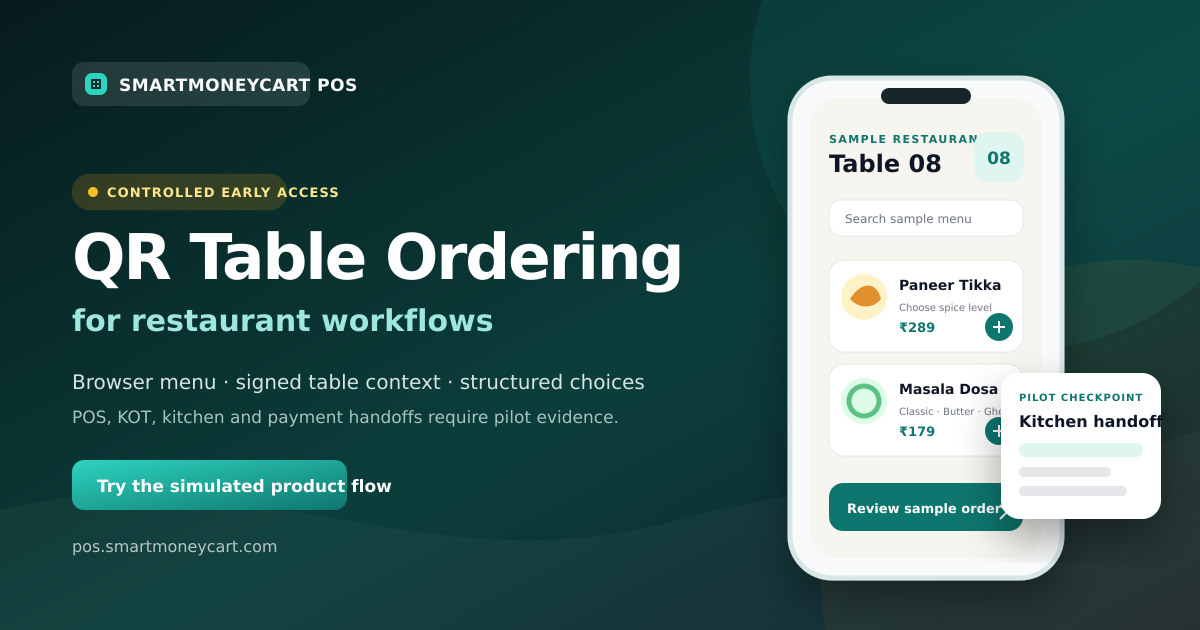
A plain-language comparison that helps restaurant owners choose the smallest digital ordering workflow that solves their real service problem.
Quick answer: A QR menu lets restaurant guests scan a code and view menu information. A QR ordering system also lets them choose items and continue through a supported submission workflow. POS creation, kitchen routing, billing and online payment are further capabilities that must be verified separately; they do not automatically come with every QR ordering screen.
For many restaurants, a simple QR menu is enough. Others need table identity, structured modifiers, repeat orders or a POS-linked workflow. The right choice is the smallest system that solves the outlet's real service problem without creating a second menu or an unclear staff handoff.
SmartMoneyCart QR ordering is in controlled early access. This comparison explains the workflow honestly; it does not turn early-access POS, KOT, kitchen or payment paths into general availability claims.
What is a QR menu?
A QR menu is a menu opened by scanning a QR code. The destination may be a PDF, an image, a web page or a managed digital catalogue.
The simplest version works like this:
- Scan the code.
- Open the menu.
- Read item and price information.
- Tell a waiter or cashier what you want.
A static PDF can be inexpensive and familiar, but it may be awkward on a phone and must be replaced when the content changes. A managed QR menu can be easier to browse, can support categories and can be updated without changing the printed code. It still may stop at viewing.
Use a QR menu when the main problem is menu access or menu maintenance, and when staff will continue to take every order.
What is a QR ordering system?
A QR ordering system adds an interactive cart or selection journey. Guests can choose quantities, sizes, add-ons or other configured options and then continue through the system's supported order flow.
A typical journey is:
- Scan a restaurant or table QR code.
- Browse a mobile-friendly menu.
- Choose items and required modifiers.
- Review the cart.
- Submit a request or order according to the configured workflow.
The word “configured” matters. Some products may send a request to staff. Some may create an order in their own dashboard. An integrated system may connect to a POS or kitchen process. Payment may be a separate option. Owners should ask for a demonstration of each step instead of assuming the label covers all of them.
What is the difference between a digital menu and QR ordering?
“Digital menu” describes the information format. “QR” describes how the guest opens it. “Ordering” describes what the guest can do after opening it.
A tablet menu used by a waiter is digital but may have no QR code. A QR code can open a PDF but accept no selections. A web ordering page can accept an order from a link without using a QR code. Keeping these terms separate makes vendor comparisons much clearer.
Printed menu vs QR menu vs QR ordering vs waiter ordering
The table below compares operating models, not specific vendors. Actual products and restaurant processes vary.
| Area | Printed menu | QR menu | QR ordering | Traditional waiter ordering |
|---|---|---|---|---|
| Menu updates | Requires reprinting or inserts | Update the file or managed menu | Update the ordering catalogue; POS-linked designs may share a source | Staff must know changes; printed menu may still need updating |
| Guest ordering | Guest tells staff | Guest tells staff after viewing | Guest chooses items and continues through supported submission | Waiter records the order |
| Table identity | Staff recognises the table | Not guaranteed | Can use table-specific codes | Waiter carries table context |
| Staff involvement | High during explanation and order taking | Still needed to take the order | Depends on review, exception and service design | Central to the entire interaction |
| Modifiers | Explained verbally or printed | Can display information | Can require structured choices | Waiter asks and records choices |
| Customer experience | Familiar and phone-free | Self-paced viewing on a phone | Self-paced viewing and selection on a phone | Personal assistance and recommendations |
| Hardware | Printing and menu holders | Guest phone plus printed code and internet | Guest phone, printed code, internet and restaurant-side supported devices | Restaurant ordering pad or device; guest phone not required |
| POS integration | Staff enters the order | None by definition | Varies; must be demonstrated | Depends on the waiter's order-entry tool |
| Kitchen workflow | Staff or POS sends the order | Unchanged from existing process | Varies; each handoff must be verified | Established staff-to-kitchen process |
| Cost considerations | Design, printing, cleaning and replacement | Hosting or menu software, setup and printed codes | Software, onboarding, devices, support and optional payment costs | Staff time, training and ordering hardware where used |
| Accessibility and fallback | Familiar to many guests; physical readability varies | Requires a suitable phone path | Requires a suitable phone path | Human help is available by design |
Do not score this table by counting features. A cafe with a five-item board and counter service may gain little from table ordering. A large dine-in menu with repeat rounds and structured choices may need more than a PDF.
When is a simple QR menu enough?
A QR menu may be enough when:
- guests mainly need a clean, current menu on their phone;
- staff will still take and confirm every order;
- the restaurant wants to reduce menu reprinting;
- the menu needs extra language, ingredient or dietary information;
- table identity is already handled by staff;
- there is no need for a guest cart or additional rounds;
- the outlet wants a low-complexity first digital step.
For example, a small family restaurant may place one code on each table, let guests browse while they wait and keep its familiar waiter service. The QR menu solves menu access without changing the kitchen or billing process.
Make sure the page is mobile friendly. A wide PDF designed for A3 printing is technically digital but can be frustrating to pinch and zoom on a phone.
When does a full QR ordering system make sense?
Evaluate ordering when guests need to do more than read. Useful scenarios may include:
- table-specific item requests;
- structured sizes, variants or add-ons;
- repeat rounds at a cafe or casual-dining table;
- a cart review before submission;
- clear unavailable-item handling;
- an optional self-ordering path alongside waiter service;
- one managed menu source for ordering and POS, where integration is verified.
The restaurant must be ready to own the incoming workflow. If nobody is responsible for recognising, accepting or correcting a request, adding a customer cart can create confusion instead of reducing it.
Use the restaurant QR ordering system overview to review the full early-access journey and the product-status caveats.
Does QR ordering mean POS integration?
No. A QR ordering interface and a POS integration are separate layers.
Ask a vendor to show the same request on the customer screen and restaurant screen. Verify where prices come from, whether the table is retained, how the request becomes a bill and how an additional round is attached. Test corrections and retries.
A useful integrated design should avoid trusting a price typed or cached in the browser. It should validate current menu IDs, availability and price on the server before creating an operational record.
SmartMoneyCart uses its existing menu and order models in the early-access implementation. The QR-to-POS path is still a target-outlet acceptance checkpoint, not a generally available claim. The standard restaurant POS software page describes the established POS scope separately.
Does QR ordering mean automatic kitchen routing?
No. Kitchen handoff must be proven independently.
An owner should compare the table, item, quantity, modifier, note and order reference across the guest request, staff screen and actual kitchen ticket or display. Test the first order, a second round, an unavailable item and a correction.
If a vendor uses words such as “instant,” “real-time” or “automatic,” ask what event triggers the kitchen record, what happens during a network problem and what evidence staff see when the handoff fails.
SmartMoneyCart has KOT and kitchen display paths in code, but QR-to-kitchen operation is not advertised as production-ready until verified in the target environment. You can review the separate kitchen display system workflow without assuming QR integration.
How does waiter ordering compare with QR ordering?
Waiter ordering provides human guidance, handles questions and keeps table context through the staff member. It can work very well when training and order-entry discipline are strong.
QR ordering gives a guest time to browse and enter structured selections. It may be useful for repeat orders or detailed modifiers. It also depends on a working phone, clear interface and connectivity.
These approaches do not have to compete. A restaurant can offer QR as an optional path and keep waiters for recommendations, accessibility, allergies, special requests and guests who simply prefer service from a person.
The key operational question is how staff-taken and guest-entered items meet in one bill without duplication. Test that mixed journey before rollout.
What cost should a restaurant compare?
Compare the complete operating cost, not only a monthly software number.
For a printed menu, include design, printing, cleaning and replacement. For a QR menu, include setup, hosting or software, content updates and card replacement. For QR ordering, also consider onboarding, supported restaurant devices, staff training, support, optional payment-provider charges and the time required to maintain the menu and exception process.
For waiter ordering, staff cost is already part of the service model, but there may also be ordering devices, software and training. Do not turn that into a claim that technology “saves staff.” A restaurant may use technology to change task allocation while still keeping the same team for hospitality and exceptions.
Get the current quote and feature scope in writing. Review SmartMoneyCart POS pricing for the standard POS plans, but request QR early-access scope separately because QR commercial entitlement is not finalized for public sale.
Which customer experience is better?
There is no universal winner. Choose based on the guests and service promise.
A QR menu can be convenient for guests who want to browse quietly. QR ordering can help guests review a complex selection. A waiter can explain dishes, respond to uncertainty and notice when someone needs help. A printed menu needs no guest device.
Test with representative users, not only the product team. Include an older phone, bright and dim table lighting, a guest who increases browser text size and someone unfamiliar with QR ordering. Observe where they pause or ask for help.
Keep the restaurant name, table context, item prices and next step clear. Make the staff-help option visible. Do not force data collection that is not necessary for the service.
Questions to ask before choosing
Use these questions during vendor demonstrations:
- Does the code open a PDF, managed menu or ordering interface?
- Who owns and updates the menu?
- Can each table have a distinct, replaceable code?
- Are prices and availability validated by the server?
- How are required modifiers represented?
- What exactly happens after the guest taps submit?
- Does staff review the request before acceptance?
- How is the request connected to an open table bill?
- What reaches the kitchen, and what evidence proves it?
- What happens on a retry, wrong table or unavailable item?
- Which payment paths are actually configured for this outlet?
- How are refunds and payment reconciliation handled?
- Can a guest order through staff instead?
- What data is collected, and why?
- What is included in the current written quote?
Which option should your restaurant choose?
Choose a printed menu when phone-free browsing and personal service are central and frequent reprinting is manageable.
Choose a QR menu when the main need is a current, mobile-accessible menu while staff continue to take orders.
Choose QR ordering when guest selection, table context or structured modifiers solve a real problem and the restaurant can own the request workflow.
Choose an integrated QR and POS workflow only after menu, table, bill and kitchen handoffs pass a target-environment test.
Choose waiter ordering or a hybrid when hospitality, recommendations and flexible exceptions are important. Hybrid is often a deliberate service design, not a compromise.
How can SmartMoneyCart help you compare?
Read the complete 2026 QR ordering guide and the step-by-step restaurant setup checklist. Cafe owners can use the focused QR ordering guide for cafes.
Then try the simulated SmartMoneyCart customer journey. It creates no real order, KOT or payment. If the approach fits, request controlled early access and bring your real menu, table plan and staff handoff to the review.
The right outcome is a clear decision—even if that decision is to keep a simple menu or waiter workflow for now.
Start Free Forever · Read more SmartMoneyCart guides
By Adarsh Osle · Published 2026-08-09T00:00:00.000Z · Updated 2026-08-09T00:00:00.000Z
Quick answer
Quick answer: Compare printed menus, QR menus, QR ordering and waiter ordering by updates, staff involvement, POS and kitchen workflow, hardware and cost. SmartMoneyCart POS connects this topic to practical billing, GST invoices, KOT, staff controls, payment reconciliation and owner reports for Indian restaurants, cafes, cloud kitchens, kirana stores and retail businesses.
Key takeaways
- Use this topic as an owner checklist, not just a reading exercise.
- Test GST invoices, KOT, WhatsApp invoices, staff permissions and day-end reports before changing POS software.
- SmartMoneyCart POS includes a Free Forever Starter plan with unlimited billing and orders.
How to use this QR Ordering guide
This article is written for Indian restaurant, cafe, cloud kitchen, kirana and retail owners who need practical decisions rather than generic POS advice. Use it as a working checklist during billing setup, menu review, GST reporting, staff training or day-end reconciliation.
The core idea behind "QR Menu vs QR Ordering System: What Restaurants Actually Need" is simple: every operational topic should connect back to measurable owner controls. A POS system should help you see what sold, who billed it, how it was paid, whether GST was correct, which items leaked margin and what action is needed tomorrow morning.
For a small outlet, even a tiny daily mismatch becomes meaningful over a month. A ₹300 payment mismatch, a ₹500 wastage leak or a few unapproved discounts can become a larger problem than a marketing campaign can fix. That is why the article connects the topic back to billing reports, audit trails and weekly review habits.
Owner checklist
- Check the last seven days of item sales and identify the top five profit drivers.
- Compare UPI, cash, card and delivery-channel totals before closing the day.
- Review void bills, discounts and refunds by staff member.
- Confirm GST invoices include correct customer, HSN/SAC and tax details.
- Link the lesson from this article to one specific POS report you will check weekly.
Example calculation for owners
| Metric | Example | Decision |
|---|---|---|
| Daily sales | ₹18,000 | Compare against item mix and staff shift. |
| Discount leakage | ₹650/day | Audit staff permissions and coupon use. |
| Payment mismatch | ₹420/day | Reconcile UPI/cash/card before closing. |
| Monthly impact | ₹12,600+ | Fix process before adding more marketing spend. |
Related SmartMoneyCart resources
- restaurant POS software for billing, KOT and owner reports.
- restaurant POS evaluation guide for buying criteria.
- POS software under ₹500/month for plan evaluation.
- GST billing software for invoice fields, HSN/SAC and report exports.
- cloud kitchen POS software margin guide for delivery-first operators.
Frequently asked questions
- What is the difference between a QR menu and QR ordering?
- A QR menu primarily lets guests view menu information. A QR ordering system also lets them choose items and continue through a supported order-submission workflow.
- When is a simple QR menu enough?
- It may be enough when the goal is easier menu updates, language or dietary information, and staff will still take every order.
- Does QR ordering always connect to a POS and kitchen?
- No. An ordering interface does not prove a downstream integration. POS order creation, KOT or kitchen handoff, billing and status behaviour must each be verified.
- Can QR ordering and waiter ordering work together?
- Yes. Many restaurants should treat QR as an optional ordering path and keep staff-assisted service for questions, accessibility, special requests and exceptions.