QR Ordering System for Cafes: Faster Table Ordering Without an App
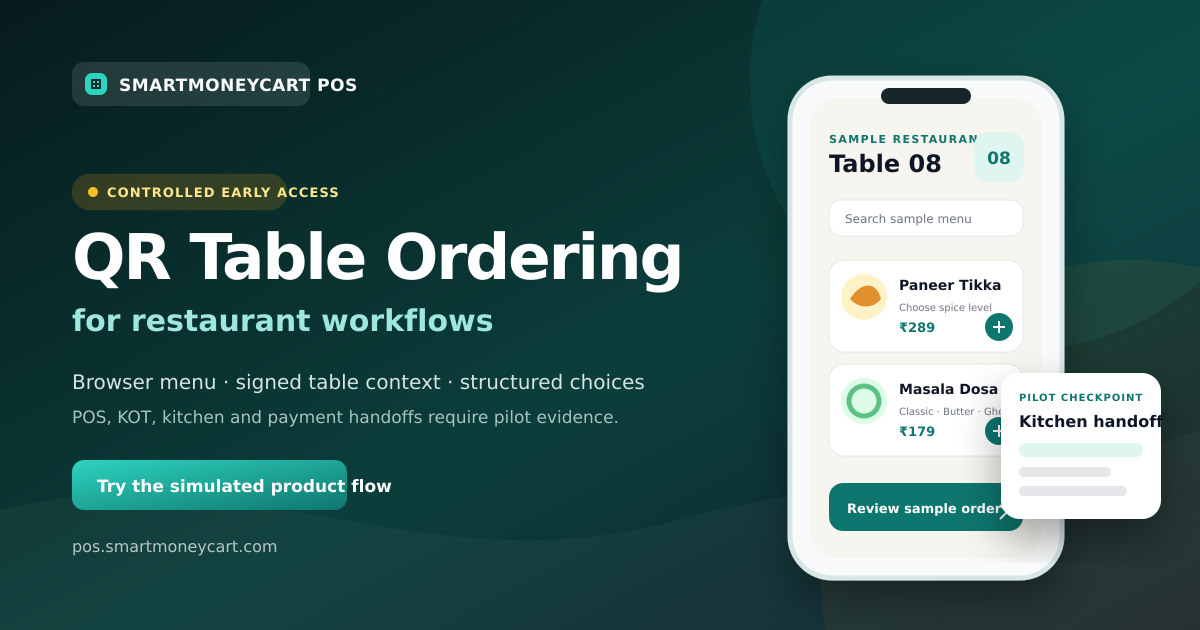
A cafe-specific guide to deciding where QR ordering fits, how to model modifiers and how to keep counter and staff service clear.
Quick answer: A cafe QR ordering system lets a guest scan a table code, open a browser menu and choose drinks or food without installing an app. It can suit cafes that mix table and counter service, repeat orders and detailed modifiers, but the cafe must define who receives each request and how it reaches the bill and preparation workflow.
SmartMoneyCart's QR ordering experience is in controlled early access. Its public demo is simulated, and target-cafe POS, KOT, kitchen and payment handoffs must be verified before activation. This guide explains how to evaluate the fit without assuming those capabilities are generally available.
Why can QR ordering fit a cafe?
Many cafe menus are built from repeatable choices: hot or iced, small or large, dairy or alternative milk, regular or extra shot. A structured browser menu can show those choices consistently and require the essential ones before submission.
Cafes also use several service models. Some take every order at the counter. Some seat guests and send staff to the table. Others take the first order at the counter and later offer table service. QR ordering can be added to one part of that journey without replacing the rest.
The fit is strongest when the cafe can answer four questions clearly:
- Which tables or service periods use the QR path?
- Who notices and reviews an incoming request?
- How are modifiers and unavailable ingredients communicated to the barista or kitchen?
- How does the accepted request join the correct bill and payment process?
If these answers are unclear, begin with a QR menu or keep the existing counter journey while the operating process is designed.
How can QR ordering help during peak hours?
During a rush, the potential value is giving some guests an additional way to browse and enter a structured request. That does not automatically mean shorter waits or fewer staff. Measure the outcome in the cafe's own pilot.
Choose one practical scenario. For example, seated guests may scan for a second drink while the counter queue remains for takeaway customers. Or a table-service cafe may let guests build an order while a waiter remains available for questions.
Test peak behaviour before claiming an improvement:
- Use a representative rush-hour menu.
- Have multiple phones open the same and different tables.
- Submit drinks with several modifiers.
- Mark one ingredient unavailable.
- Observe who notices each request.
- Check preparation and bill records.
- Run the fallback when connectivity or the receiving screen is unavailable.
Record missed requests, wrong-table incidents, incomplete modifiers and staff handling time. Compare with the existing process only after both are measured under similar conditions.
Counter ordering or table QR ordering: which model should a cafe use?
Counter ordering keeps payment, customer questions and order acceptance in one familiar place. It works well for takeaway-heavy cafes, compact menus and collection by name or token.
Table QR ordering can suit cafes with seated guests, repeat rounds or a service promise that does not require the customer to rejoin a queue. It needs stable table identity and a clear restaurant-side receiving process.
A hybrid model can be more practical than choosing one for every situation:
- takeaway and first-time visitors can use the counter;
- seated guests can use QR for optional repeat orders;
- staff can take allergy or special requests directly;
- the cafe can disable QR during a service exception;
- guests without a suitable phone can order normally.
The table card and browser confirmation should explain whether the request is awaiting staff review, accepted or ready for collection. Do not use the same wording for different states.
How should a cafe structure its digital menu?
Start with the catalogue used for billing or preparation. Keep guest-facing categories short and familiar: coffee, tea, cold beverages, breakfast, sandwiches and desserts, for example. Do not create categories solely to fit a desktop layout.
Each item should have:
- a recognisable name;
- current price from the authoritative source;
- size or variant choices;
- required modifiers;
- optional add-ons;
- accurate availability;
- a concise description where it helps the decision;
- dietary or allergen information only when the cafe maintains it reliably.
Avoid duplicate items such as “Latte Small,” “Latte Medium” and “Latte Large” when a structured size choice is clearer. On the other hand, do not force every distinction into a modifier if the preparation or reporting process treats the products as different items. Match the operational catalogue.
The cafe manager should own menu changes. Before every service period, staff need a defined way to mark an unavailable pastry, syrup or milk choice so the guest view does not promise what the bar cannot prepare.
How should sizes, milk choices and add-ons work?
Modifiers are where a cafe QR menu becomes operationally useful—or dangerous.
Make essential choices required. A drink that cannot be prepared without a size should not reach the bar without one. Use optional modifiers for extras that the guest may skip. Show any price change beside the choice and again in the cart.
Test combinations such as:
- hot or iced;
- cup size;
- milk choice;
- sweetener choice;
- extra espresso shot;
- flavour or syrup;
- dine-in or takeaway where relevant;
- food add-ons and exclusions.
Compare the complete selection on the guest review screen, staff screen, kitchen ticket or bar display, and bill. A modifier that appears only on the phone has not completed the workflow.
Free-text notes should be bounded and used for reasonable preparation context, not as a substitute for structured paid add-ons. Staff need a process for requests the cafe cannot honour.
How should cafes handle changing menus and sold-out items?
Cafes often change pastry availability, seasonal drinks and daypart menus. Decide whether changes are scheduled, manually controlled or inherited from a central menu.
The ordering server should re-check current availability when the guest submits. A menu page opened earlier may have stale information. When an item becomes unavailable, the interface should explain the issue and let the guest revise the cart rather than silently dropping it.
Use a simple ownership routine:
- Opening staff check the day's available items.
- The responsible role updates the managed menu.
- One phone scan confirms the customer view.
- A test cart confirms modifier and price behaviour.
- Closing staff record changes needed for the next day.
If the QR catalogue and POS menu are separate, schedule a comparison. Duplicate catalogues create extra maintenance and can lead to different prices or item names.
Can QR ordering support repeat orders?
It can when the system and cafe workflow preserve table context and additional rounds correctly. A guest ordering a second coffee should not create an unrelated table or duplicate the first round.
Test these cases:
- the same phone adds a second round;
- another guest at the table submits a request;
- staff add an item manually;
- a submitted request is tapped twice;
- the table asks for the bill while another cart is open;
- the table is closed and the old code is scanned again.
The cafe must decide when additional items become accepted and how staff check them before final billing. SmartMoneyCart contains incremental-round code, but repeat-order operation remains an early-access acceptance checkpoint rather than a general availability promise.
What customer experience should a cafe design?
The guest should understand the experience within a few seconds. Show the cafe name, table, menu categories and clear next action. Keep buttons large enough for a phone and make the cart easy to review.
Do not require an app download for a lightweight table journey. SmartMoneyCart's early-access guest route is browser based. The guest still needs a compatible phone, browser, camera and connectivity.
Keep human help visible. Some guests want recommendations, have accessibility needs, need to discuss an allergy or prefer not to use their phone at the table. QR should be an option, not a barrier.
Collect only information needed for the enabled service. A table request may not need the guest's phone number. If contact or marketing data is collected, explain the purpose and handle consent and retention through the cafe's privacy process.
How should cafe QR ordering connect to POS?
A POS-linked design can reduce duplicate menu maintenance and keep accepted items with the billing record. Verify the connection; do not infer it from a product label.
During the demo, check:
- whether the QR menu uses the same items and prices as counter billing;
- how the table appears on the restaurant screen;
- whether all modifiers survive the handoff;
- how staff-entered and guest-entered items share a bill;
- how discounts or coupons are controlled;
- how corrections and voids are recorded;
- how payment and day-end reports represent the sale.
SmartMoneyCart's standard cafe POS software covers established billing and cafe workflows. QR-to-POS behaviour is separately controlled and needs target-outlet evidence before rollout.
How should the barista or kitchen receive the request?
Decide whether the preparation team sees a printed KOT, a kitchen display, a bar screen or a staff-reviewed handoff. Then test the actual route.
The preparation view needs item name, quantity, every operational modifier, note, table or collection identity and order reference. Additional rounds must contain the correct new items. Corrections should be visible without producing a second ambiguous ticket.
Ask how often the screen refreshes and what staff see if a handoff fails. Avoid “instant” or “real-time” claims without observed timing evidence. SmartMoneyCart's QR-to-KOT and kitchen-display paths remain controlled-pilot checkpoints.
What about payment in a cafe QR flow?
Payment can remain at the counter or table. That may be the cleanest first pilot because it lets the team validate menu, table and preparation handoffs before adding payment states.
If online payment is planned, the cafe should verify its provider account, successful and failed attempts, capture status, settlement, refunds and reconciliation. Staff need a trusted status on their own screen; a customer screenshot is not proof of settlement.
SmartMoneyCart does not currently advertise online QR payment as generally available. Request the supported scope in writing. Review standard POS pricing separately from early-access QR commercial terms.
Practical cafe setup plan
Use this sequence for a controlled rollout:
- Choose table service, repeat order or another narrow use case.
- Clean the cafe menu and modifier structure.
- Create stable table names.
- Assign request and exception ownership by shift.
- Generate and label table-specific QR cards.
- Test every printed code in place.
- Test modifiers, unavailable items and two-phone behaviour.
- Verify POS, preparation and payment handoffs only where enabled.
- Train counter, floor and bar staff.
- Pilot one table or one quiet period.
- Review the incident log.
- Expand only after the acceptance checklist passes.
The detailed restaurant QR ordering setup guide includes a full launch and rollback checklist.
What should a cafe evaluate before choosing software?
Ask every vendor the same questions:
- Does the code open a menu or an ordering workflow?
- Can codes identify individual tables?
- Who owns the menu and sold-out controls?
- How are required modifiers enforced?
- What exactly happens after submit?
- Does staff review the request?
- How does it join the POS bill?
- What reaches the barista or kitchen?
- How are repeat rounds and retries handled?
- Can counter and waiter ordering remain available?
- Which payment paths are verified for this outlet?
- What happens during poor connectivity?
- Which devices and printers are supported?
- What data is collected from guests?
- What are the current setup, software, support and optional provider costs?
Use the QR menu versus QR ordering guide if the cafe is not yet sure whether it needs an ordering workflow at all.
How can a cafe evaluate SmartMoneyCart?
Start with the SmartMoneyCart QR ordering overview and the simulated browser demo. Bring a real cafe menu with representative sizes, milk choices, add-ons and one unavailable item.
Then request a controlled cafe review. The team can scope tables and handoffs, but access does not imply that POS, KOT, kitchen or payment behaviour is production-ready for every cafe. Those checkpoints must pass in the intended outlet.
Keep educational evaluation first. A cafe should adopt the QR path only when guests understand it, staff can support it and every accepted request can be traced to the correct preparation and billing record.
Start Free Forever · Read more SmartMoneyCart guides
By Adarsh Osle · Published 2026-08-09T00:00:00.000Z · Updated 2026-08-09T00:00:00.000Z
Quick answer
Quick answer: Plan cafe QR ordering for table and counter service, drink modifiers, changing menus, repeat orders, POS handoffs and peak-hour operations. SmartMoneyCart POS connects this topic to practical billing, GST invoices, KOT, staff controls, payment reconciliation and owner reports for Indian restaurants, cafes, cloud kitchens, kirana stores and retail businesses.
Key takeaways
- Use this topic as an owner checklist, not just a reading exercise.
- Test GST invoices, KOT, WhatsApp invoices, staff permissions and day-end reports before changing POS software.
- SmartMoneyCart POS includes a Free Forever Starter plan with unlimited billing and orders.
How to use this QR Ordering guide
This article is written for Indian restaurant, cafe, cloud kitchen, kirana and retail owners who need practical decisions rather than generic POS advice. Use it as a working checklist during billing setup, menu review, GST reporting, staff training or day-end reconciliation.
The core idea behind "QR Ordering System for Cafes: Faster Table Ordering Without an App" is simple: every operational topic should connect back to measurable owner controls. A POS system should help you see what sold, who billed it, how it was paid, whether GST was correct, which items leaked margin and what action is needed tomorrow morning.
For a small outlet, even a tiny daily mismatch becomes meaningful over a month. A ₹300 payment mismatch, a ₹500 wastage leak or a few unapproved discounts can become a larger problem than a marketing campaign can fix. That is why the article connects the topic back to billing reports, audit trails and weekly review habits.
Owner checklist
- Check the last seven days of item sales and identify the top five profit drivers.
- Compare UPI, cash, card and delivery-channel totals before closing the day.
- Review void bills, discounts and refunds by staff member.
- Confirm GST invoices include correct customer, HSN/SAC and tax details.
- Link the lesson from this article to one specific POS report you will check weekly.
Example calculation for owners
| Metric | Example | Decision |
|---|---|---|
| Daily sales | ₹18,000 | Compare against item mix and staff shift. |
| Discount leakage | ₹650/day | Audit staff permissions and coupon use. |
| Payment mismatch | ₹420/day | Reconcile UPI/cash/card before closing. |
| Monthly impact | ₹12,600+ | Fix process before adding more marketing spend. |
Related SmartMoneyCart resources
- restaurant POS software for billing, KOT and owner reports.
- restaurant POS evaluation guide for buying criteria.
- POS software under ₹500/month for plan evaluation.
- GST billing software for invoice fields, HSN/SAC and report exports.
- cloud kitchen POS software margin guide for delivery-first operators.
Frequently asked questions
- Why can QR ordering suit a cafe?
- Cafe menus are often structured around repeatable drinks, sizes and add-ons, while service may mix counter and table ordering. QR can offer an additional browser-based path when those handoffs are clear.
- Can a cafe keep counter ordering with QR ordering?
- Yes. A cafe can keep counter and staff-assisted ordering and use QR only for selected tables, service periods or repeat-order scenarios.
- How should milk choices and add-ons be handled?
- Model required and optional modifiers explicitly, show any price change before submission and verify that the complete choice reaches the staff or kitchen view.
- Is SmartMoneyCart QR ordering available for every cafe?
- No general availability is assumed. The current product is in controlled early access, and the cafe's menu, service model and target-outlet handoffs must be reviewed first.